# Verifying Ethereum transactions to Passport
This guide gives instructions on verifying Ethereum transactions to Gitcoin Passport and outlines any known issues.
### Prerequisites
* An Ethereum address that has transacted on Ethereum Mainnet
### How to verify your ETH
Step 1: [Go to passport.gitcoin.co](https://passport.gitcoin.co/) and connect your wallet.
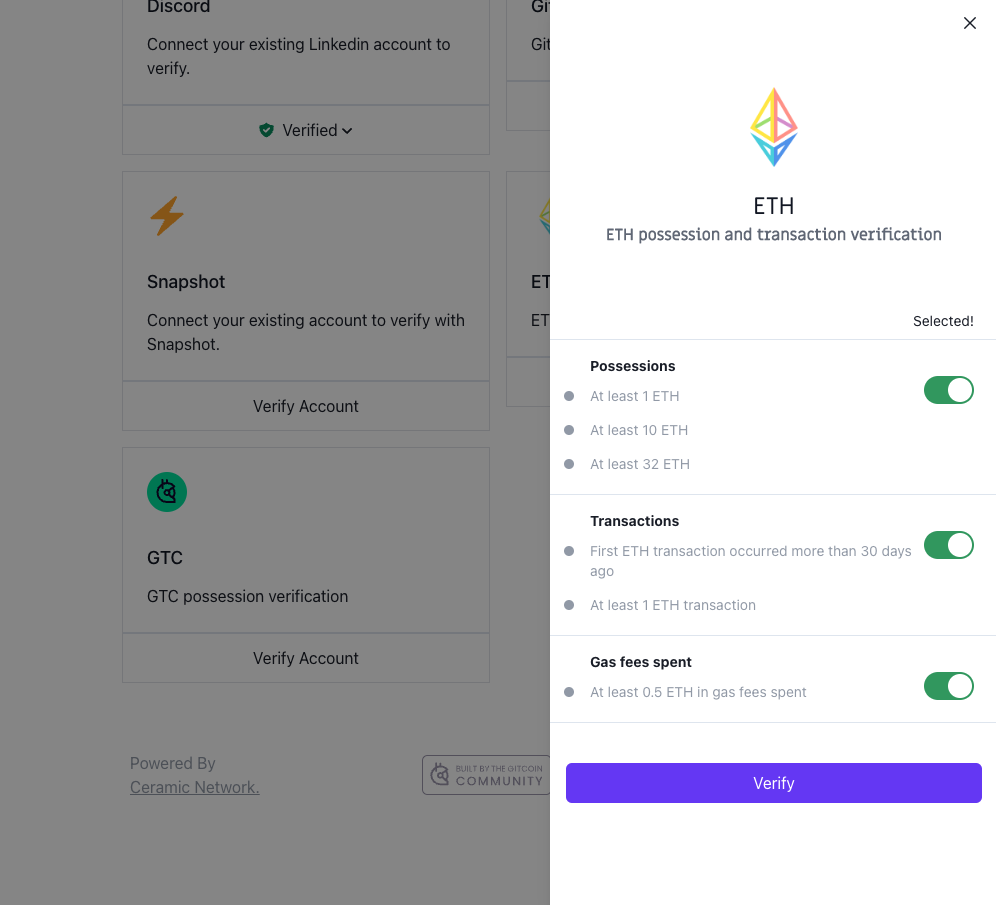
Step 2: Click **Verify Account** on the ETH stamp card.
Step 3: Select the toggles you want to use for your stamp then click **Verify.**
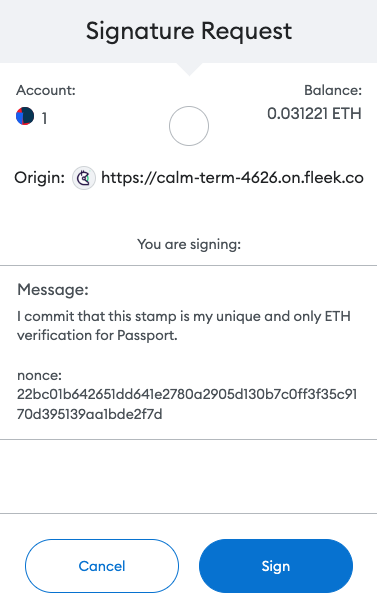
Step 4: A signature request modal will pop up. Read it carefully and then click **Sign**.
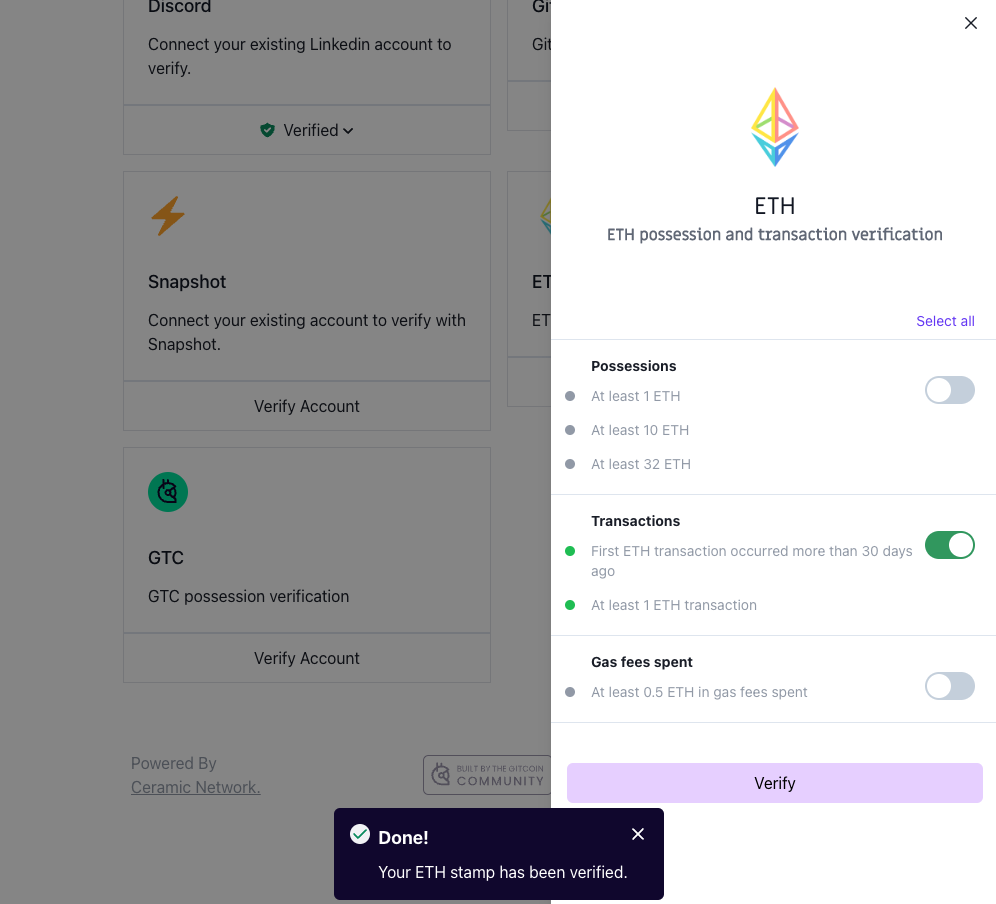
Step 5: Return to the passport browser window and confirm your account is now verified.
You can confirm this by seeing the button that previously read as Verify Account will now say **Verified**. Alternatively, [you can inspect the Passport JSON.](https://support.gitcoin.co/gitcoin-knowledge-base/~/changes/u95K1LIg4EpcHUmS8Khm/gitcoin-passport/common-questions/how-to-access-your-passport-json)
### Still not working?
If you're unable to connect after following these steps, you can talk to the support team through the chat window (bottom right) on this page and many of our product pages, and we'll try to help resolve your issue.